Five stages. Each one writes to the audit log as it happens.
From purchase order to audit record
01 / 05
The lot enters the system
A purchase order lot is recorded against a supplier and a material. The moment the lot is recorded, the certificate request goes to the supplier and the clock starts.
02 / 05
The chase runs itself
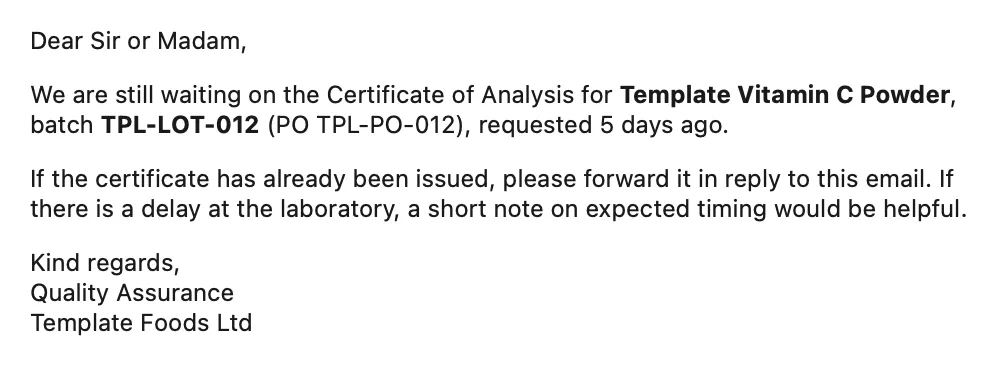
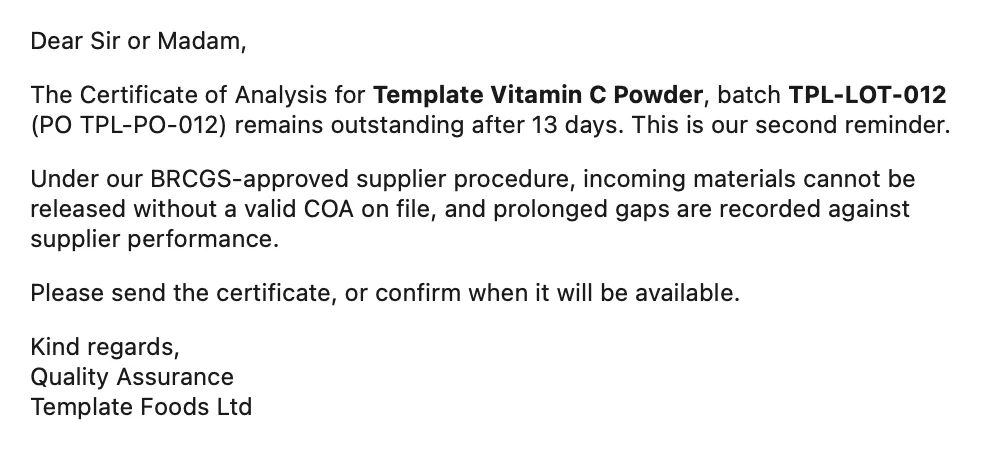
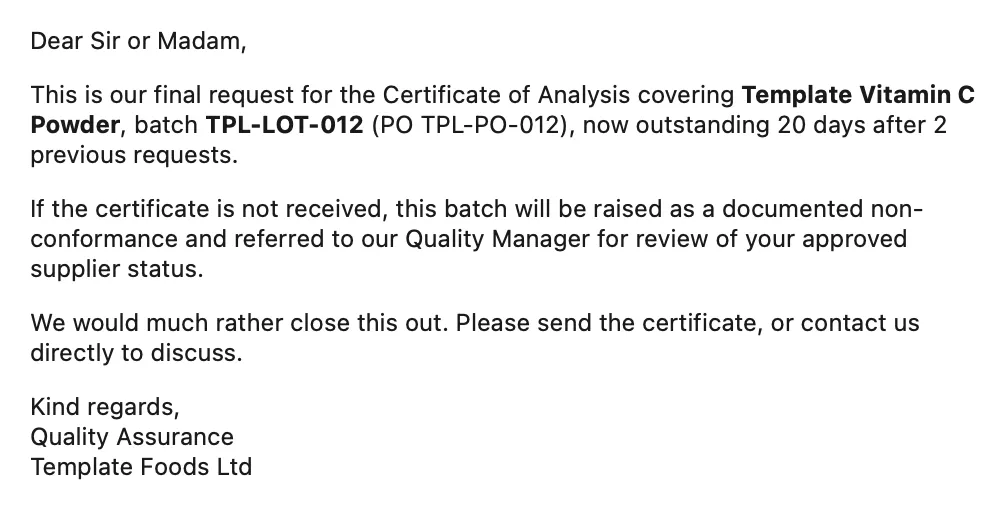
If the certificate does not arrive, follow-ups go out on a schedule you define. The default is 5 days, then 5, then 7.
03 / 05
Escalation, and the point where automation stops
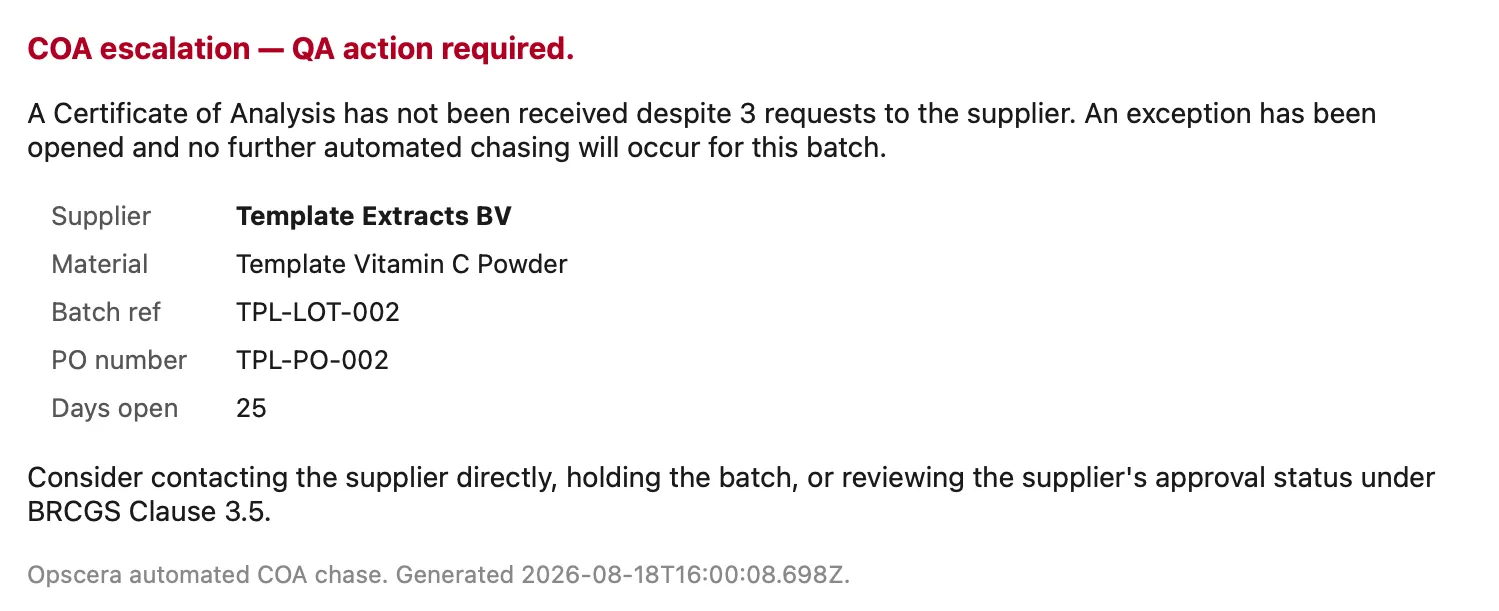
After the final follow-up, the lot escalates to your QA lead, an exception is opened, and automated chasing stops for that batch.
04 / 05
The certificate arrives and is matched
Matching uses two independent signals: the batch reference in the supplier’s message, and whether the sender matches the approved contact for that supplier. Both are then reconciled against the contents of the certificate itself.
05 / 05
The record closes
The lot moves to received. The audit log has a timestamped row for every step: request, each follow-up, any escalation, receipt, and the review decision.
01/Stage 1
The lot enters the system
A purchase order lot is recorded against a supplier and a material. By default
this is a form, which takes about twenty seconds and identifies the supplier and
material in one selection, so there is no name matching to go wrong.
If you raise purchase orders in a system with an API, integration is scoped at
onboarding. It is not assumed, because most manufacturers this size raise POs in
Sage, Xero or a spreadsheet, and a form is faster than a half-working integration.
The moment the lot is recorded, the certificate request goes to the supplier and
the clock starts.
One detail worth naming: the request is sent before the lot record is created.
If the send fails, there is no lot sitting in the system that nobody is chasing.
The intake simply retries.
02/Stage 2
The chase runs itself
If the certificate does not arrive, follow-ups go out on a schedule you define.
The default is 5 days, then 5, then 7.
The wording escalates with the stage. The first follow-up assumes the supplier
is busy. The last one does not.
Chase ladderWF1-CHASE
Three rungs, five days apart. Each one references the supplier's purchase order and lot.
The wording is held in a table you can edit. If your QA manager wants to change
a sentence, they change it themselves.
03/Stage 3
Escalation, and the point where automation stops
After the final follow-up, the lot escalates to your QA lead, an exception is
opened, and automated chasing stops for that batch.
That boundary is deliberate. A system that keeps sending after the situation has
changed is worse than no system. Past the ladder, a named person owns the
problem, and Opscera’s job is to have documented everything that led there.
The exception is created first, then the notification is sent. An exception
records that a problem exists. It does not record that somebody was told about
it. If the notification fails, the problem is still on the books.
COA escalationWF1-ESCALATE
The escalation your QA lead receives. Supplier, material, batch reference, PO number and days open, with the exception already open before this message was sent.04/Stage 4
The certificate arrives and is matched
Supplier replies land in a dedicated address for your business. Every PDF
attached is handled as its own certificate, so an email with three certificates
files three records rather than one.
Matching uses two independent signals: the batch reference in the
supplier’s message, and whether the sender matches the approved contact
for that supplier. Both are then reconciled against the contents of the
certificate itself. Four outcomes:
Signals
Outcome
Both agree
Filed against the lot, marked received, passes review
One signal only
Filed and linked, flagged for human review
Signals disagree
Nothing linked to the lot. Chase continues.
Nothing matches
Exception raised, document not silently filed
COA documentsTPL-EXPORT-0822
COA | TPL-LOT-006
Linked lot
TPL-LOT-006
Confidence
high
Document batch ref
TPL-LOT-006
Parse method
regex
Review
Pass
Received
2026-08-04 10:12:33
File
COA_MagCitrate_TPL-LOT-006.pdf
Subject batch reference and sender both resolve to TPL-LOT-006. Document batch reference agrees.
COA | UNMATCHED - coa_scan_final_v2.pdf
Linked lot
none
Confidence
conflict
Document batch ref
TPL-LOT-002
Parse method
regex
Review
Needs Review
Received
2026-08-12 14:31:08
File
coa_scan_final_v2.pdf
Subject batch reference resolves to TPL-LOT-008. Document batch reference reads TPL-LOT-002. Signals disagree, no lot linked.
The same supplier, two certificates. The one on the right did not match its lot, so it was filed without a link and the chase continued.
The third row is the one that matters. When a supplier attaches the wrong
certificate and sends the right one shortly after, linking the first would leave
two certificates on one lot with no way to tell which is authoritative. So it
links neither, and keeps chasing.
Every message is also forwarded to your QA inbox with the supplier set as the
reply-to address, so your team can reply directly to the supplier without
leaving their own inbox.
The lot moves to received. The audit log has a timestamped row for every step:
request, each follow-up, any escalation, receipt, and the review decision.
Nothing is generated later. The record was written as it happened.
Audit logTPL-LOT-010
TPL-LOT-010 · TPL-PO-010 ·
Template Peptides SA · Template Vitamin C Powder
Timestamp
Event
Workflow
Outcome
Notes
2026-07-06 09:02:14
PO Logged
WF2 PO Intake
success
PO TPL-PO-010 logged for Template Peptides SA / Template Vitamin C Powder. Initial COA request sent to [email protected].
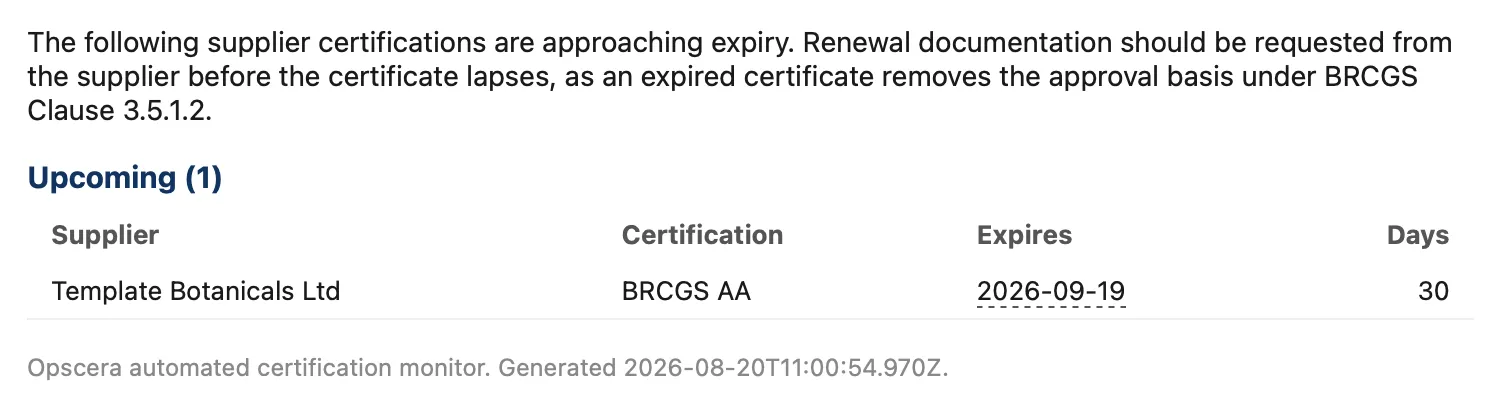
Supplier certification expiry is monitored continuously, with alerts at 90, 60,
30, 14 and 7 days out, so renewal documentation can be requested before the
certificate lapses rather than after.
Expiry digestWF5-EXPIRY
Thirty days of warning, with the supplier, the certification and the expiry date. Requested before the lapse, not discovered after it.
A separate weekly review covers what expiry monitoring cannot reach: certificates
filed without an expiry date, and suppliers approved on a certification basis
with no certificate on file at all.
That second one is not an alert about a date. It is an alert about an approval
with nothing behind it, and it is the one that gets found at audit.